Fall detection radar
Detects falls without cameras or wearables, and works with the sleep sensor to build a fall-risk score.
Your team sees:
Fall alerts, time out of bed and a fall-risk score.
Passive, non-camera sensors notice shifts in sleep, mobility and routine. Team CarePal turns them into clear alerts for care teams and updates for families. Nothing to wear, and no cameras.
Powered by Constant Caregiver.
See it in home care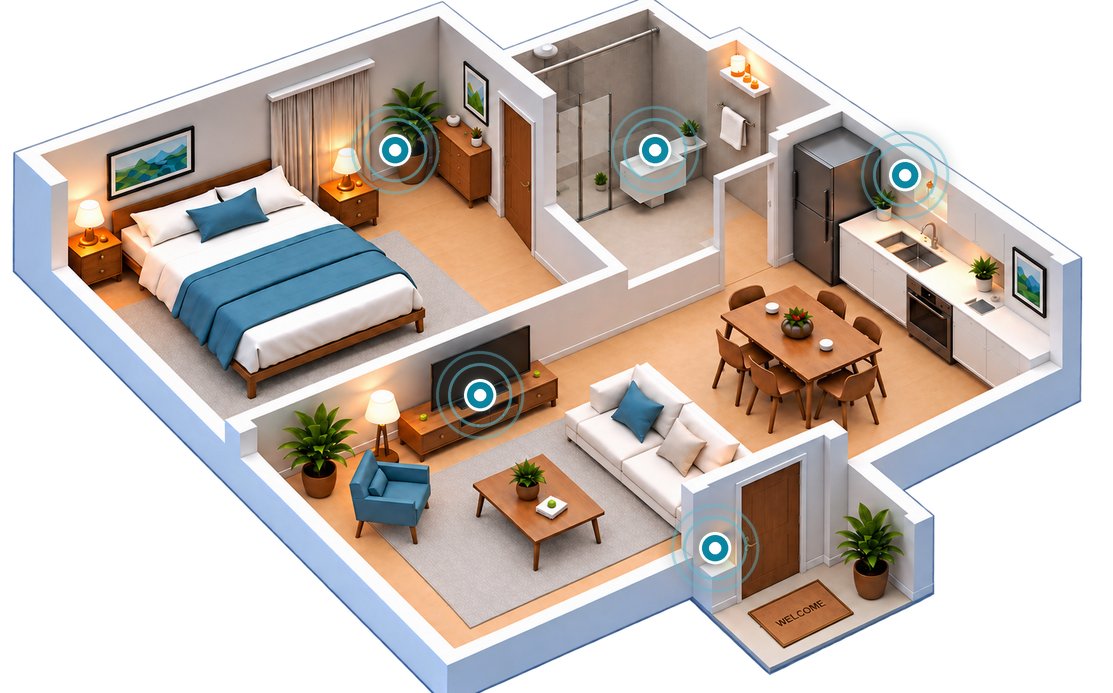
Small, passive sensors with no cameras. Each one is placed with your team during a walk-through, only in the rooms the person uses.
Detects falls without cameras or wearables, and works with the sleep sensor to build a fall-risk score.
Your team sees:
Fall alerts, time out of bed and a fall-risk score.
Tracks sleep, bed exits, and overnight heart rate and breathing rate while the person is in bed, without touching them.
Your team sees:
Restless nights, bed exits and overnight trends.
Picks up bathroom visits and movement between rooms. Changes in routine are often an early sign that something has changed.
Your team sees:
Bathroom frequency and changes in daily routine.
Knows when a door opens, with optional night-time alerts during the hours you choose (for example, 10pm to 6am).
Your team sees:
Door openings and night-time door alerts.
One press calls for help, in and around the home.
A temperature and humidity sensor that adds shower and bath tracking.
A lamp that also detects falls.
Know who needs attention first, and why. The care team dashboard flags changes in sleep, mobility and routine across everyone you support, so your team can act early.
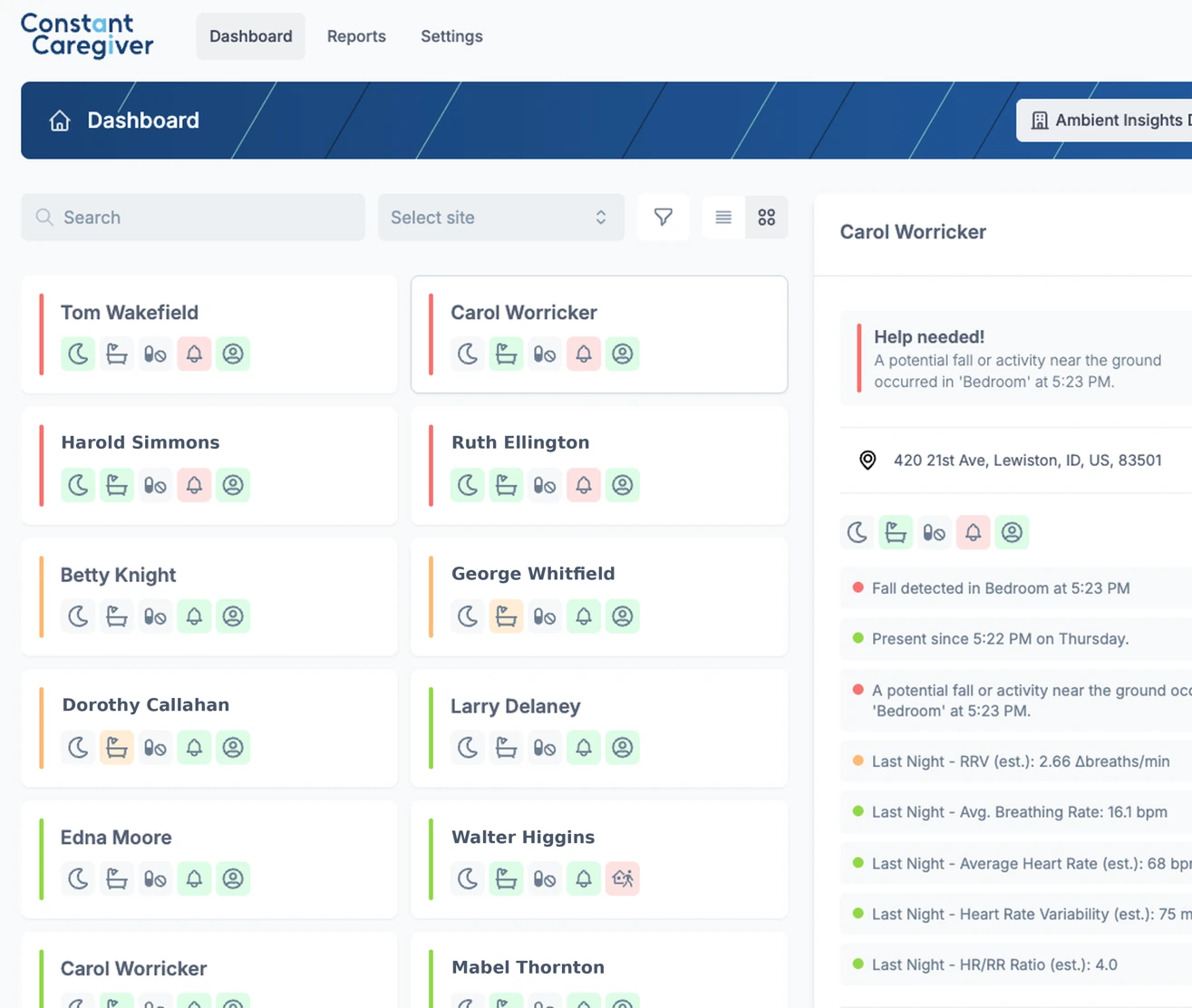
Care team dashboard, powered by Constant Caregiver. Example data.
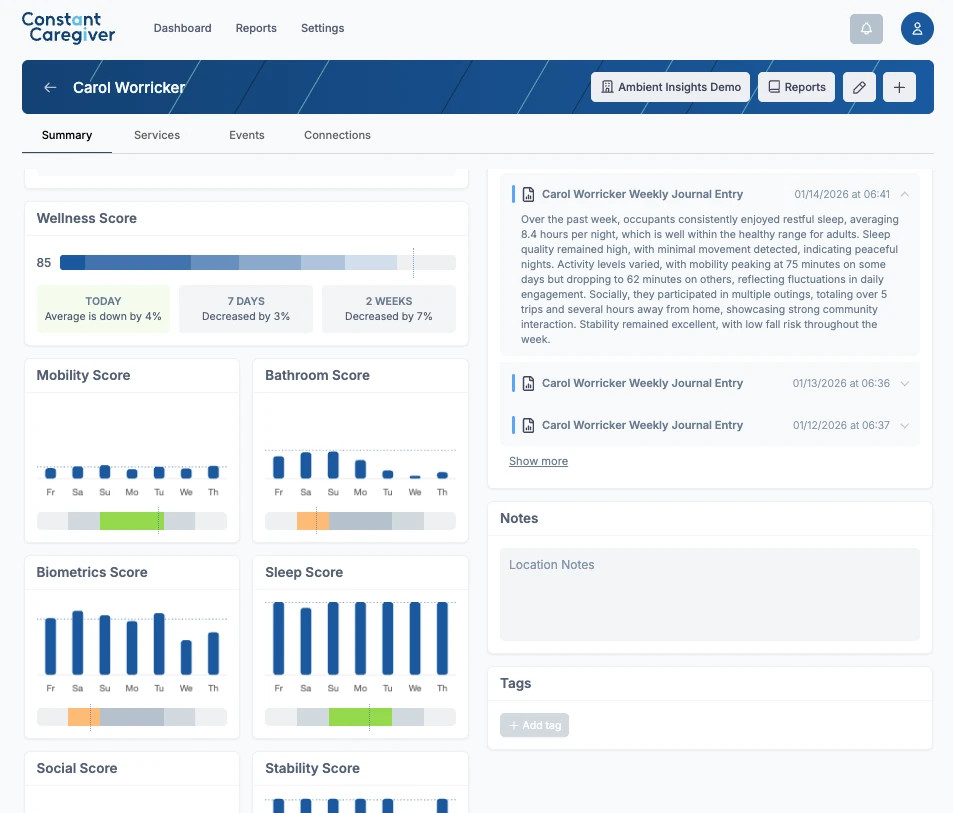
Each person's wellness, mobility, bathroom and sleep trends in one view. Example data.
Step 1
Sensors notice changes in sleep, mobility, routine and safety.
Signal over noise.
Step 2
Your team sees who needs attention first, and why.
Less guesswork.
Step 3
Staff review a weekly wellness summary and approve it before families see it.
No one left wondering.
Step 4
Families are informed and the follow-up is tracked.
A closed loop.
Team CarePal Communication Dashboard · Margaret L.: Family community
Hi from Maple House! Margaret's bathroom routine stayed steady this week. She had a few more restless nights than usual, so our team is keeping a closer eye on her comfort. We'll keep you posted, and you're always welcome to reach out.
Approved by Family Liaison · shared with 3 family members
Example
Maple House · Weekly wellness update
Hi from Maple House! Margaret's bathroom routine stayed steady this week. She had a few more restless nights than usual, so our team is keeping a closer eye on her comfort. We'll keep you posted, and you're always welcome to reach out.
Staff stay in control. Nothing reaches families until your team approves it.